
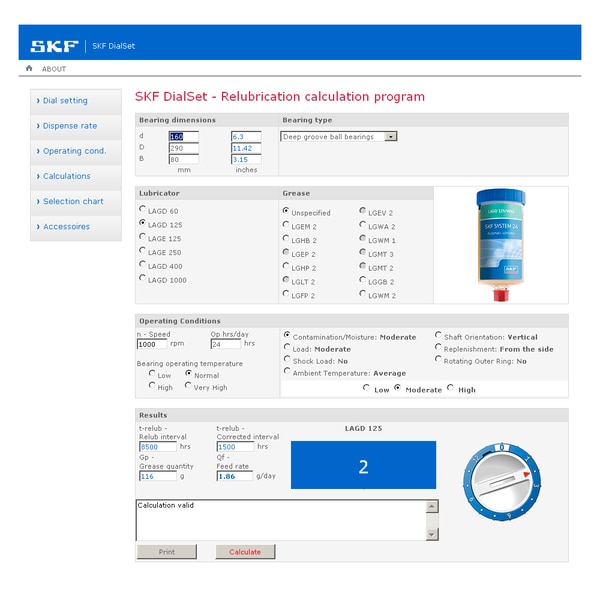
SKF DialSet is an SKF application that helps users select and calculate the appropriate amount of lubricating grease. If you are unsure which grease can be used for a bearing in a particular application, this article will help answer your question. The guide below explains how to use the SKF DialSet tool to quickly and easily set parameters for SKF automatic lubricators.
Step 1: Create an account
The first step in setting up your automatic lubrication parameters is to open the SKF DialSet application.
SKF DialSet is entirely web-based, so you can use it directly in a web browser on a personal computer, iPad or smartphone.
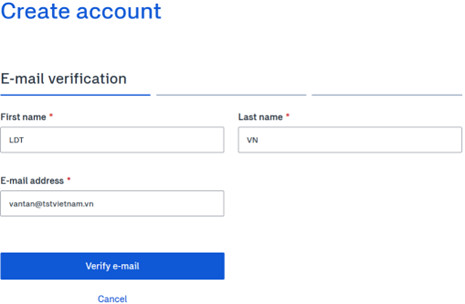
The first thing to do is create an account to manage all equipment in your plant or the workshop under your responsibility.
Follow the example shown below, enter your email address, full name and company details, and confirm the code sent by email. You will then have an account for managing lubrication equipment and can sign in from any device to monitor it.
The tool’s main interface has three sections for entering information:
- Bearing type
- Operating conditions
- Lubricant type
All of these parameters affect the final result calculated by the software and displayed on the right.
Step 2: Select the bearing
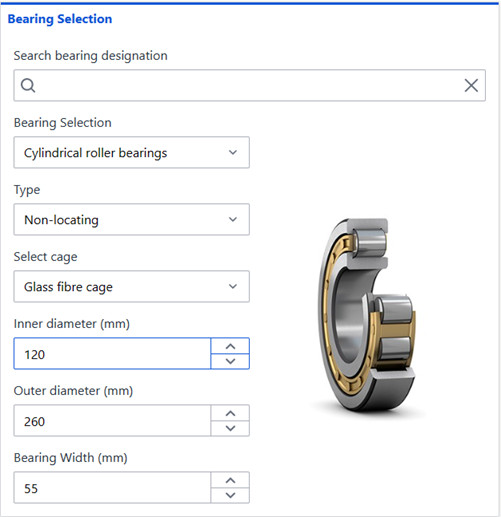
- To select a bearing, enter its bearing designation in the search field at the top of the section and tool.
- Then enter the values in all fields below. If you do not have the bearing designation, select the characteristics of the bearing you have, such as bearing type, inner and outer diameter, width, oil seal and so on.
Step 3: Operating conditions
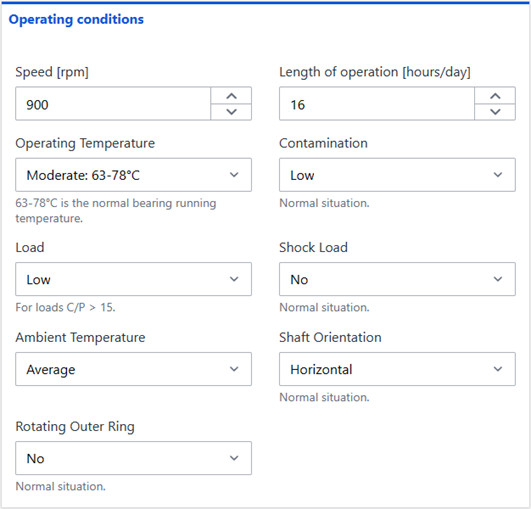
Under operating conditions, you can adjust parameters such as:
- Speed and operating hours per day
- Degree of contamination
- Load level and operating temperature
Step 4: Select the lubricant and automatic lubricator
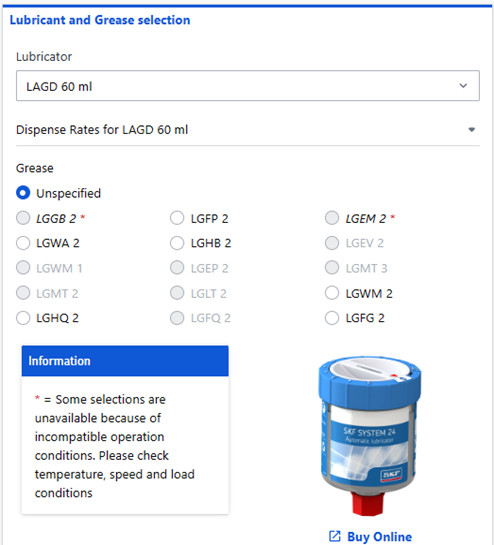
Here you will notice that some lubricants are shown in grey depending on the operating conditions selected, so unsuitable lubricants are hidden.
- When you change the automatic lubricator, such as LAGD, TLMR, TLSD or TLMP, or select a 60 ml or 125 ml capacity, the screen on the right updates the image and adjustment dial, making setup easier.
- The website lists the available lubricants and includes a link to purchase genuine products: LGWA2, LGEM2, LGGB2, LGHB2, LGHQ2, LGWM2, LGFG2, LGFQ2, LHMT68, LHHT250, LFFM100 and LFFT220.
- After all parameters are entered, the right side of the screen clearly shows the amount of lubricant used per day and the time until the lubricant runs out. You can print this information for monitoring.
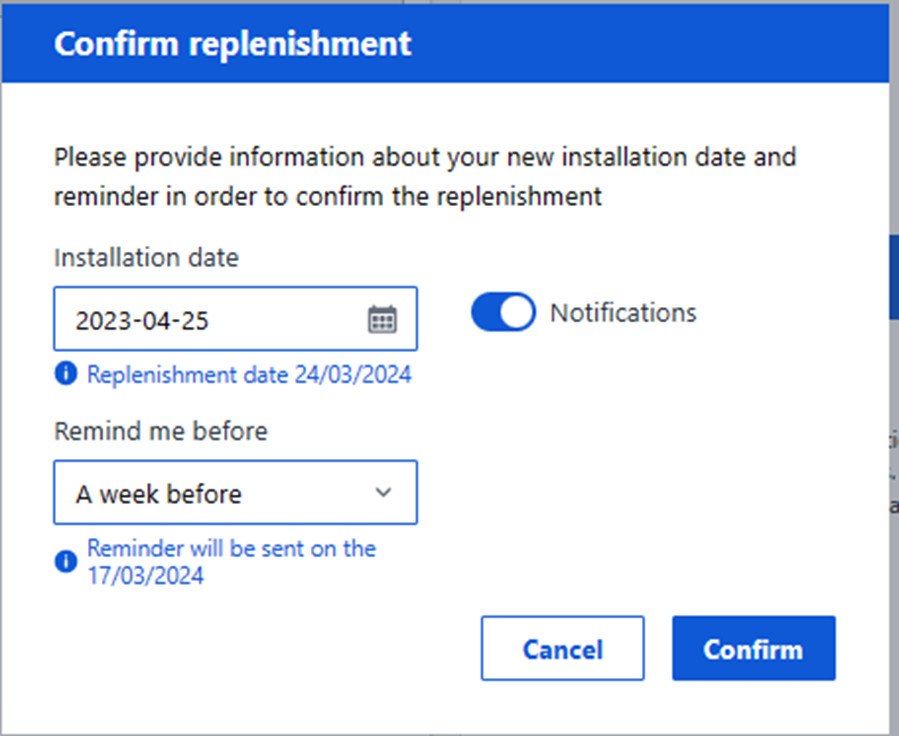
- Once all information is complete, save the equipment, name its location, and confirm the installation date and replacement deadline for the lubricator. The software also sets a reminder, for example one week before lubricant needs to be replenished, and sends the reminder by email to the linked account.
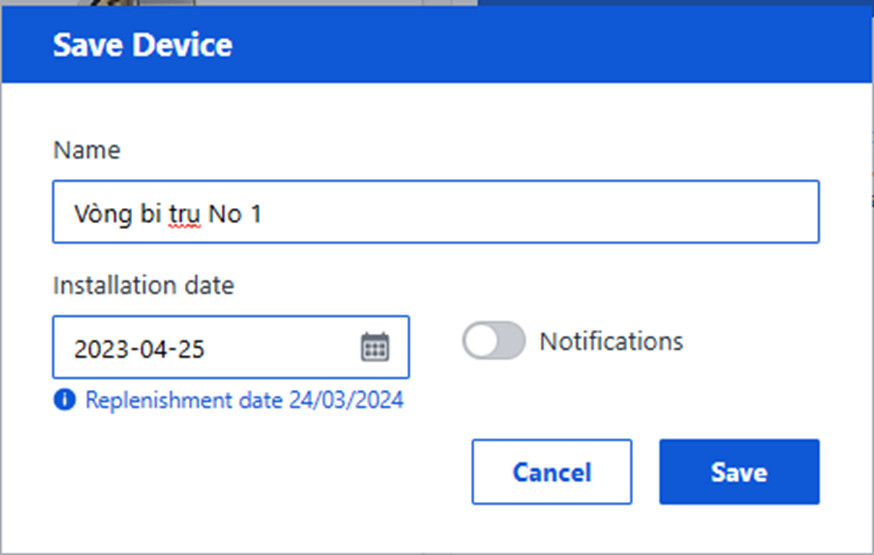
- Overall, the Device list shows all equipment you manage and lets you see which locations are approaching or past their due dates, so you can replace the lubricator in time. Each item includes an SKF alert called a reminder.
Through this article, LDT Vietnam hopes that customers now understand in detail how to use SKF’s DialSet tool to optimize lubrication efficiency and manage their systems and equipment as a whole.
Watch the detailed tutorial video here